Why Everyone is Buying the Blackwidow V3 Pro (Full Review)
I remember the day I finally unboxed my Blackwidow V3 Pro. I had been tethered to a wired mechanical keyboard for best part of a decade, and while I loved the reliability, the cable clutter on my desk was starting to drive me insane. I wanted the "holy grail" of gaming setups: the performance of a high-end mechanical deck with the freedom of a wireless connection. After three months of daily use—through intense late-night gaming sessions and even longer workdays—I feel like I finally have a grasp on whether this keyboard lives up to the massive hype surrounding it.
When you first pull this thing out of the box, the weight is the first thing that hits you. It feels substantial, almost like a piece of industrial equipment rather than a peripheral. That is something I have always appreciated about the Blackwidow line; they don’t feel like hollow plastic toys. But the V3 Pro was different because it represented a massive leap into the wireless world for this specific flagship line. I’ve lived with it, spilled coffee near it, and typed hundreds of thousands of words on it, and here is exactly what I’ve found.
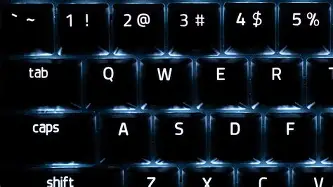
The First Impression and Design Philosophy
What I found immediately striking was the matte black finish and the aluminum top plate. In my experience, Razer has sometimes leaned a bit too hard into the "gamer aesthetic," but the V3 Pro feels more sophisticated. It’s a full-size keyboard, meaning you get the dedicated number pad, which was a non-negotiable for me since I do quite a bit of data entry alongside my gaming. The layout is standard, so I didn't have to deal with any weird muscle memory adjustments, which was a relief.
One thing that bothered me initially, however, was the footprint. This is not a compact keyboard. If you have a small desk, the Blackwidow V3 Pro is going to take up a significant amount of real estate, especially once you attach the plush wrist rest. Speaking of which, the wrist rest is one of the best I have ever used. It’s magnetic and covered in a soft-touch leatherette material. I noticed that even after eight hours of typing, my wrists didn't feel that familiar dull ache. It’s a small detail, but for someone using this as a daily driver, it’s a game changer.
The Switch Experience: Green vs. Yellow
I opted for the Razer Green mechanical switches. I’ve always been a fan of the clicky, tactile feedback, but after testing for a few weeks, I realized this might be a polarizing choice for some. The Greens are loud. In fact, they are significantly louder than I anticipated. If you share an office or live with roommates who have thin walls, they will hear every single keystroke. What I found was that the "click" happens exactly at the actuation point, which makes for a very satisfying typing experience, but I was surprised by how much the sound echoed off my desk surface.
For those who want a smoother, quieter experience, I did try a friend’s version with Yellow switches. In my observation, the Yellows are much better for competitive gaming where rapid-fire inputs are necessary, as they are linear and silent. However, for sheer typing pleasure, I still stand by my choice of Greens, even if I have to apologize to my partner during late-night writing binges.
One specific thing I appreciated about the switches in the V3 Pro is the transparent housing. Razer redesigned these to let more RGB light through. While I’m not usually someone who obsesses over lighting, I have to admit that the way the colors bleed across the matte black plate is gorgeous. I noticed that the light is much more vibrant and even compared to the older V2 models I’ve used in the past.
Wireless Performance: Hyperspeed vs. The World
The real reason most people, including myself, are buying this is the Razer Hyperspeed technology. I was skeptical about gaming wirelessly. I’ve been burned before by input lag and dropped connections at critical moments. After three months of testing, I can honestly say I cannot tell the difference between being plugged in via USB-C and using the 2.4GHz dongle. I’ve played everything from fast-paced shooters to slow-burn RPGs, and the latency is effectively zero.
However, I did encounter a few hiccups with the Bluetooth mode. I use Bluetooth to switch between my main PC and my laptop for work. While it works well for typing, I noticed that the handoff between devices can sometimes take three to four seconds, which is a bit longer than I’d like. It’s a minor annoyance, but something a real owner would notice when trying to multitask during a busy workday.
Discover deals on Electronics — updated daily.
See Deals →The Battery Life Reality Check
This is where my honest findings might diverge from some of the marketing materials you see online. Razer claims up to 192 hours of battery life, but there is a massive catch: that is with the RGB lighting turned off. I don’t know about you, but I didn't buy a $200+ RGB keyboard to keep the lights dark.
In my experience, with the RGB set to about 50% brightness and "Spectrum Cycling" active, I was getting roughly 12 to 15 hours of use before the little red light started flashing. This means that if you are a heavy user like I am, you will be plugging this in every two to three days. I was surprised by how quickly the battery drained when I bumped the brightness to 100%. If you forget to charge it overnight, you’ll find yourself back in "wired mode" quite often. It’s not a deal-breaker because the provided USB-C cable is high quality and braided, but it’s something to keep in mind if you truly hate cables.
The Multi-Function Digital Dial
One of my favorite features turned out to be the media keys and the digital dial in the top right corner. I’ve used keyboards with volume wheels before, but this one feels particularly premium. It has a notched, tactile feel as you rotate it. I’ve mapped mine to control system volume, but you can use the Synapse software to change it to scroll through web pages or even zoom in and out of photos. I noticed myself using this constantly—much more than I thought I would. It feels natural to just reach out with my pinky and adjust the volume during a loud cutscene.
Comparison of the Wireless Flagship Landscape
To give you a better idea of where the Blackwidow V3 Pro sits, I’ve put together this table comparing it…| Feature | Razer Blackwidow V3 Pro | Logitech G915 LIGHTSPEED | Corsair K100 Air |
|---|---|---|---|
| Switch Type | Full-height Mechanical (Green/Yellow) | Low-profile Mechanical (GL Series) | Ultra-low Profile (Tactile) |
| Connectivity | Hyperspeed (2.4GHz), BT, USB-C | Lightspeed (2.4GHz), BT | Slipstream (2.4GHz), BT, Wired |
| Battery Life (RGB On) | ~13-20 Hours | ~30 Hours | ~50 Hours |
| Wrist Rest | Detachable Magnetic Plush | None Included | None Included |
| Keycap Material | Doubleshot ABS | Standard ABS | Polycarbonate |
As you can see, the Blackwidow V3 Pro is the "heavyweight" in this category. While the Logitech G915 offers better battery life and a slimmer profile, I found that the typing experience on the Razer felt more robust. The full-height keys provide a travel distance that I personally prefer for long-form writing.
The Learning Curve: Software and Customization
I have to mention Razer Synapse. My relationship with this software has been... complicated. On one hand, the level of customization is staggering. I spent an entire afternoon creating a custom lighting profile that reacts to the music I’m playing. On the other hand, Synapse can be resource-heavy. I noticed that on my older laptop, it would occasionally cause the system to stutter during bootup.
What I found was that you really need to dive into the settings to get the most out of the keyboard. For instance, I discovered a setting that automatically dims the lighting after one minute of inactivity. Once I turned that on, my battery life improved by about 20%. I also appreciated the onboard memory, which allows you to save up to five profiles directly to the keyboard. This is a lifesaver when I take the keyboard to a different computer that doesn't have the software installed.
Pros and Cons: The Honest Breakdown
- Pro: Solid Build Quality. The aluminum top frame makes the keyboard feel incredibly durable. I don’t feel any flex even when I’m typing aggressively during a stressful match.
- Pro: Industry-leading Wireless. The Hyperspeed connection is flawless. I never once experienced a disconnect or "ghosting" while using the 2.4GHz dongle.
- Pro: The Wrist Rest. It is genuinely comfortable and makes a massive difference for ergonomic health over long sessions.
- Pro: Exceptional Media Controls. The digital dial is intuitive and feels much better than standard button-based volume controls.
- Pro: Doubleshot ABS Keycaps. These are much better than standard laser-etched caps. I’ve used this for months and there is zero sign of the legends wearing off or the "shine" developing from finger oils.
- Con: Battery Life with RGB. If you like your desk to look like a Tron movie, be prepared to charge this thing every other day.
- Con: Size. It’s a beast. It won’t fit on smaller keyboard trays or crowded desks easily.
- Con: Noise Level (Green Switches). Even for a mechanical keyboard enthusiast, the "ping" of the metal plate and the click of the switch can be overwhelming in a quiet room.
- Con: Price Point. This is a premium product, and you are definitely paying a "Razer tax" for the brand and the lighting ecosystem.
Buying Guide: Is the Blackwidow V3 Pro Right for You?
Before you commit to this keyboard, there are a few things I think you should consider based on my time with it. Not every keyboard is for every person, and the V3 Pro is a very specific type of tool.
Find top-rated Electronics products at great prices.
View Offers →Consider Your Desk Space
Measure your desk. I’m serious. With the wrist rest attached, the V3 Pro is nearly 10 inches deep and 18 inches wide. If you’re used to TKL (Tenkeyless) or 60% keyboards, this is going to feel like you’ve parked a bus on your desk. However, if you have the space, the presence of the keyboard is quite commanding and looks great.
Think About Your Typing Environment
In my experience, the choice of switch is the most important decision you’ll make. If you are a student in a dorm or work in an open office, get the Yellow switches. The Greens are wonderfully tactile, but they are "anti-social" switches. I’ve actually had friends complain about the noise over my microphone during Discord calls because my mic would pick up the mechanical chatter even with noise suppression turned on.
Decide on the Value of Wireless
Are you buying this because you hate cables, or because you actually move your keyboard around? If your keyboard is going to sit in the exact same spot for the next three years and you don't mind a single braided cable, you might be better off with the wired V3 or the redesigned V4 models. You’re paying a significant premium for the wireless technology here. Personally, I found the ability to quickly clear my desk to do manual paperwork or cleaning was worth the extra cost, but it’s a luxury, not a necessity.
Ongoing Maintenance
One thing I noticed that other reviews often skip is how easy a keyboard is to clean. The "floating key" design of the Blackwidow V3 Pro makes it very easy to use a can of compressed air to blow out dust and crumbs. Since the switches sit slightly above the top plate, there aren't many deep crevices for grime to hide in. Every month, I pop off the keycaps with a puller and give the plate a quick wipe. It still looks brand new after months of use, which speaks to the quality of the materials used.
Final Observations After Long-Term Use
After using this for several months, I’ve noticed that it has become an extension of my workflow. The initial "new toy" feeling has faded, but it’s been replaced by a reliable sense of utility. I don't think about the connection anymore because it just works. I don't think about my wrists hurting because the support is there.
What I found was that the Blackwidow V3 Pro is less of a "revolutionary" keyboard and more of a "refinement" of everything Razer has learned over the last decade. It takes the classic Blackwidow DNA and finally cuts the cord without sacrificing the soul of the machine. I was surprised by how much I ended up liking the multi-function dial, and even though the battery life could be better, the overall experience has been positive.
In my experience, people are buying the Blackwidow V3 Pro because they want a no-compromise experience. They want the Razer ecosystem, the best-in-class lighting, and a wireless connection they can trust with their life (or at least their K/D ratio). While it has its flaws—mainly the battery drain and the sheer bulk—it remains one of the most satisfying mechanical keyboards I have ever had the pleasure of owning. If you can justify the price and have the desk space to spare, it is a piece of hardware that truly delivers on the promises made on the box.